文章目录 「隐藏」
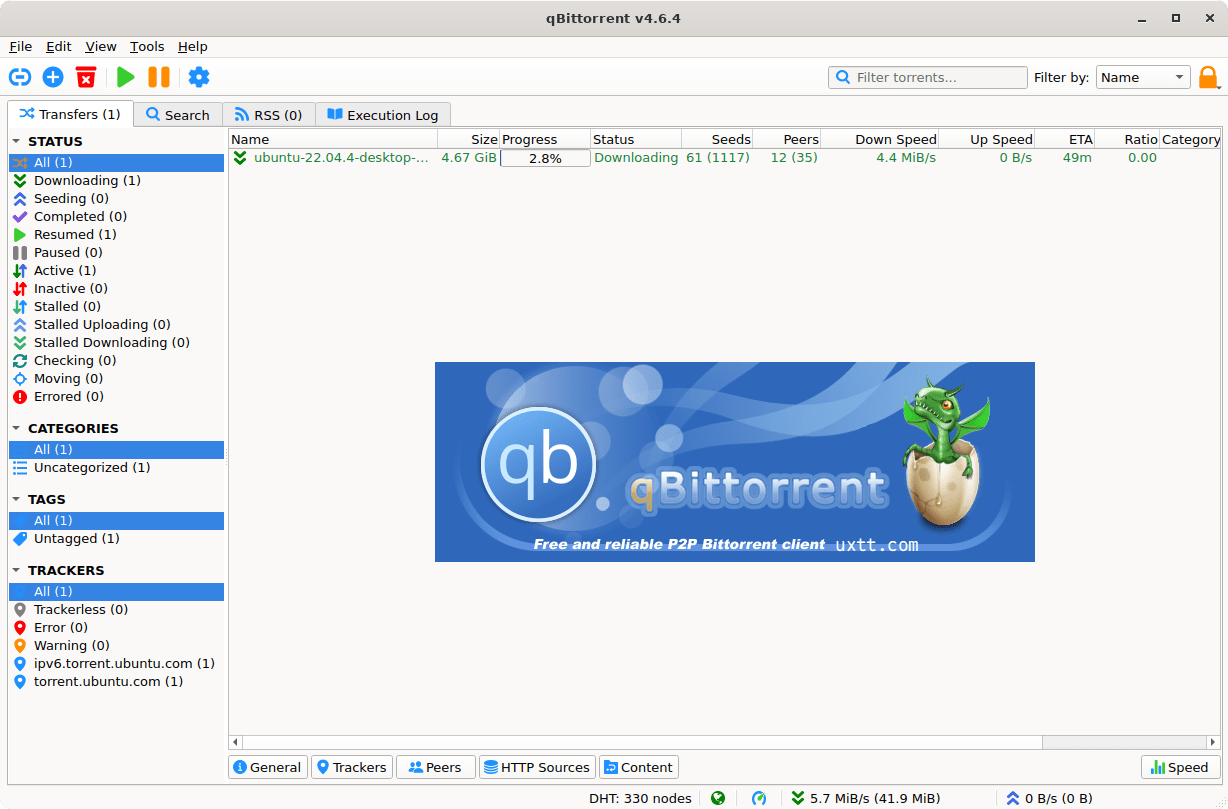
qBittorrent 一个跨平台的 BitTorrent 客户端,具有美观的 Qt 用户界面以及用于远程控制的 Web UI 和集成搜索引擎。可以说是个不错的 uTorrent 替代品之一。
备用节点参考:大哥云、魔戒、飞机云、搬瓦工JMS、极客云……
qBittorrent 简介
qBittorrent 项目旨在提供一个替代 µTorrent 的开源软件。并且,qBittorrent,开源、免费……它是一个跨平台的 BitTorrent 客户端,具有美观的 Qt 用户界面以及用于远程控制的 Web UI 和集成搜索引擎。
官方网站:https://www.qbittorrent.org
2022-01-10 qBittorrent 4.4 发布,支持 Qt 6 和 Bittorrent v2
Windows 10 及更高版本的用户也可以使用 Qt6 版本安装程序。 Qt6 提供了更好的 HiDPI 兼容性。
Linux 系统现在提供了一个 AppImage,它使用最新版本 Qt6 、 libtorrent 、 boost 和 openssl 。
qBittorrent 官方版下载
- 2021-10-31:qBittorrent v4.3.9(32-bit & 64-bit installers)
- 2022-08-30:qBittorrent v4.4.5(32-bit & 64-bit installers)
- 2022-08-30:qbittorrent-4.4.5.dmg+Linux-AppImage(mac & Linux)
- 2023-10-22:qbittorrent_4.6.0_x64_setup
- 2025-07-02:qbittorrent_5.1.2_x64_setup
qBittorrent 便携版 下载
(自制教程:开源自动化制作脚本)
我要使用哪个版本 qBittorrent?
qBittorrent 从 v4.5.0 开始,共分成了 4 个版本,分别为:
x64 - 使用 Qt5 + libtorrent 1.2.x 依赖
lt20_qt5_x64 - 使用 Qt5 + libtorrent 2.0.x 依赖
qt6_x64 - 使用 Qt6 + libtorrent 1.2.x 依赖,需要 Windows 10 及以上系统
lt20_qt6_x64 - 使用 Qt6 + libtorrent 2.0.x 依赖,需要 Windows 10 及以上系统
所有版本均为 64 位,目前已不再支持 32 位系统,因此如有需求请下载旧版本。
Qt 是负责软件 UI 界面的依赖;libtorrent 是负责软件下载的核心依赖
如无 BUG,则建议尽量选择最新版本,即 lt20_qt6_x64 版本。- 2020-12-24:qBittorrent_v4.3.1_便携版
- 2021-03-20:qBittorrent_v4.3.3_便携版
- 2021-05-19:qBittorrent_v4.3.5_便携版
- 2021-07-15:qBittorrent_v4.3.6_便携版
- 2021-08-31:qBittorrent_v4.3.7_便携版
- 2021-08-31:qBittorrent_v4.3.8_便携版
- 2021-11-01:qBittorrent_v4.3.9_便携版
- 2022-08-31:qBittorrent_v4.4.5_qt6_x64_便携版(新增 Qt 6 版本)
- 2022-11-28:qBittorrent_v4.5.0_lt20_qt6_x64_便携版(另外 3 个版本)
- 2023-10-24:qBittorrent_v4.6.0_lt20_qt6_x64_便携版
- 2025-07-02:qBittorrent_v5.1.2_lt20_qt6_x64_便携版
qBittorrent Enhanced Edition (增强版) 下载
qBittorrent (增强版) Github 项目地址:https://github.com/c0re100/qBittorrent-Enhanced-Edition (已配置 Tracker,开源自动化制作脚本)
- 2020-12-24:qBittorrentEE_v4.3.1.11_便携版
- 2021-03-20:qBittorrentEE_v4.3.3.10_便携版
- 2021-05-19:qBittorrentEE_v4.3.5.10_便携版
- 2021-07-15:qBittorrentEE_v4.3.6.10_便携版
- 2021-08-31:qBittorrentEE_v4.3.7.10_便携版
- 2021-08-31:qBittorrentEE_v4.3.8.10_便携版
- 2021-11-01:qBittorrentEE_v4.3.9.10_便携版
- 2022-09-03:qBittorrentEE_v4.4.5.10_qt6_x64_便携版(新增 Qt 6 版本)
- 2022-12-04:qBittorrentEE_v4.5.0.10_便携版(新增 Qt 6 版本)
- 2023-10-31:qBittorrentEE_v4.6.0.10_qt6_x64_便携版
- 2025-07-09:qBittorrentEE_v5.1.2.10_x64_便携版
解压密码 1024 | 任何服务均有跑路风险,请注意防范!
备用节点:大哥云、魔戒、飞机云、搬瓦工JMS、极客云、扬帆云……